Every asset has a location. Every location has a story.
Search and organize equipment across your facility, connect records and documents to real locations, and trace how assets work together across the process.
Move from a searchable asset record to its location in 3D—and see how that equipment connects to the larger process.
Explore Guardian with us ↗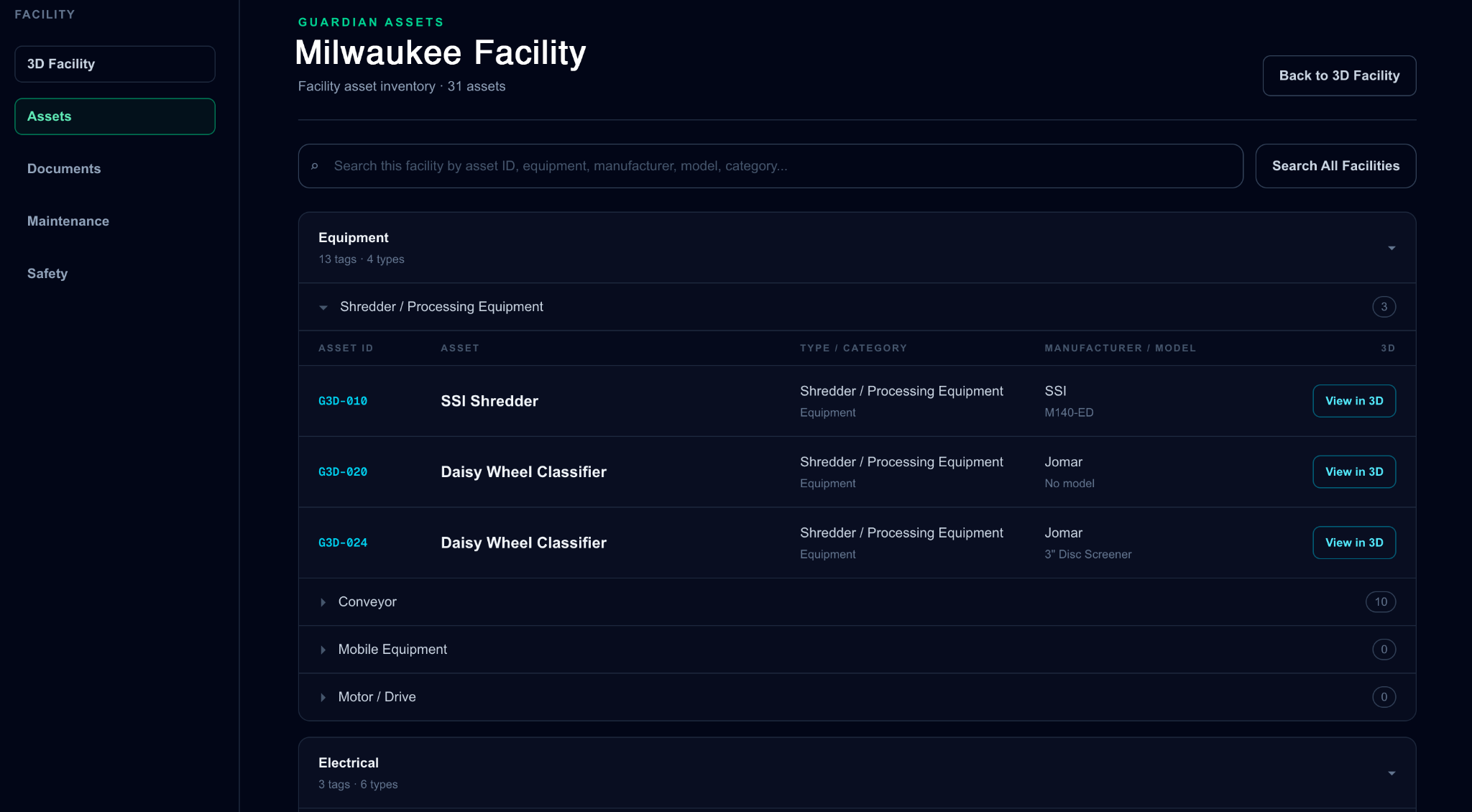
Guardian asset inventory • Illustrative industrial facility
Trace the process. Understand the entire system.
See how equipment connects across the production line. Follow primary material flow, explore upstream and downstream relationships, and identify alternate or recirculation paths.
Each equipment step links back to its location in the 3D facility, giving teams a clearer picture of how the process fits together.
From captured spaces to engineering workflows.
Use the 3D facility as a visual reference for equipment placement, contractor coordination, renovation discussions, and existing-condition reviews.
When a project requires more than a walkthrough, Guardian can scope point-cloud exports and CAD-compatible deliverables separately—giving engineering teams source data to work from.
Deliverable formats, survey requirements, and accuracy expectations are defined for each engagement.
From asset inventory to equipment in 3D.
Guardian links searchable equipment records, documentation, and asset categories to their physical positions in a navigable 3D facility. Equipment relationships and process paths can be explored through System Trace.
Find equipment by asset ID, name, category, or manufacturer across the facility.
Keep useful asset information and supporting documents tied to the equipment they describe.
Jump from an inventory record to the asset’s physical location in the 3D facility.
Follow equipment relationships and material flow, including alternate and recirculation paths.
Put your facility in context.
Let's talk about the spaces, equipment, and workflows that matter to your team.
Request a Demo ↗